The OpenAI wrapper is the simplest way to integrate Galileo logging into your application. By using Galileo’s OpenAI wrapper instead of importing the OpenAI library directly, you can automatically log all prompts, responses, and statistics without any additional code changes in an LLM span for every call.
The Python SDK supports both the Chat Completions API and the Responses API. The TypeScript SDK currently only supports the Chat Completions API.
The wrapper supports both the OpenAI and Azure OpenAI APIs, so will work out of the box with Azure deployments, as well as any LLM that supports the OpenAI SDK.
If you are using Python, import the galileo.openai module, instead of the OpenAI openai module and use that to create your client. If you are using TypeScript, use the wrapper to wrap your OpenAI client.
import osfrom galileo.openai import openai# Initialize the Galileo wrapped OpenAI clientclient = openai.OpenAI(api_key=os.environ.get("OPENAI_API_KEY"))# Use the Galileo wrapped OpenAI client which logs automatically# This will create a single span trace with the OpenAI callchat_completion = client.chat.completions.create( messages=[{"role": "user", "content": "Say this is a test"}], model="gpt-4o")print(chat_completion.choices[0].message.content)
This example will automatically produce a single-span trace in your Log stream. The wrapper handles all the logging for you, capturing:
The Python SDK also supports OpenAI’s Responses API, which provides a simplified interface for single-turn interactions and additional features like built-in tools.
from galileo.openai import openaiclient = openai.OpenAI()response = client.responses.create( model="gpt-4o", input="What is the capital of France?")print(response.output_text)
The Responses API supports function calling. Here’s an example that demonstrates tool definitions, executing tool calls, and providing results back to the model:
Python
import jsonfrom galileo.openai import openaiclient = openai.OpenAI()# Define toolstools = [ { "type": "function", "name": "get_weather", "description": "Get the current weather for a given location", "parameters": { "type": "object", "properties": { "location": { "type": "string", "description": "The city and state, e.g. San Francisco, CA", }, }, "required": ["location"], }, }, { "type": "function", "name": "get_stock_price", "description": "Get the current stock price for a given ticker symbol", "parameters": { "type": "object", "properties": { "symbol": { "type": "string", "description": "The stock ticker symbol, e.g. AAPL", }, }, "required": ["symbol"], }, },]def get_weather(location: str) -> str: return json.dumps({"location": location, "temperature": 72, "unit": "fahrenheit"})def get_stock_price(symbol: str) -> str: return json.dumps({"symbol": symbol.upper(), "price": 178.50, "currency": "USD"})# First call - model decides which tools to useuser_message = "What's the weather in San Francisco and the stock price of Apple?"response = client.responses.create( model="gpt-4o", input=user_message, tools=tools,)# Process tool calls and collect resultsinput_list = list(response.output)for item in response.output: if item.type == "function_call": if item.name == "get_weather": result = get_weather(**json.loads(item.arguments)) elif item.name == "get_stock_price": result = get_stock_price(**json.loads(item.arguments)) else: continue input_list.append({ "type": "function_call_output", "call_id": item.call_id, "output": result, })# Second call - model generates final response with tool resultsresponse = client.responses.create( model="gpt-4o", input=input_list, tools=tools,)print(response.output_text)
The Responses API also supports advanced features like:
Reasoning items with the reasoning parameter for chain-of-thought outputs
Built-in tools including web search, code interpreter, and file search
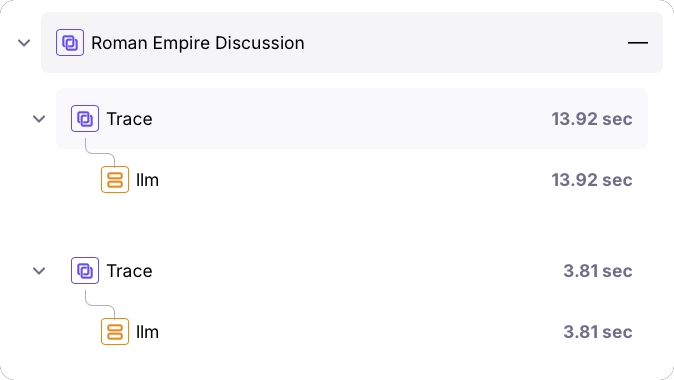
If you use the OpenAI wrapper by itself, it will automatically create a session and start a new trace for you, adding the call as an LLM span. Subsequent calls will be added as an LLM span to a new trace in the same session. The session will have an autogenerated name based off the content.
import osfrom galileo.openai import openai# Initialize the Galileo wrapped OpenAI clientclient = openai.OpenAI(api_key=os.environ.get("OPENAI_API_KEY"))# Use the Galileo wrapped OpenAI client which logs automatically# This will create a single span trace with the OpenAI call in a new sessionfirst_result = client.chat.completions.create( messages=[{"role": "user", "content": "Tell me about the Roman Empire"}], model="gpt-4o")# This second call will create a new single span trace inside the same sessionsecond_result = client.chat.completions.create( messages=[{ "role": "user", "content": f"Summarize this: {first_result.choices[0].message.content}" }], model="gpt-4o")print(second_result.choices[0].message.content)
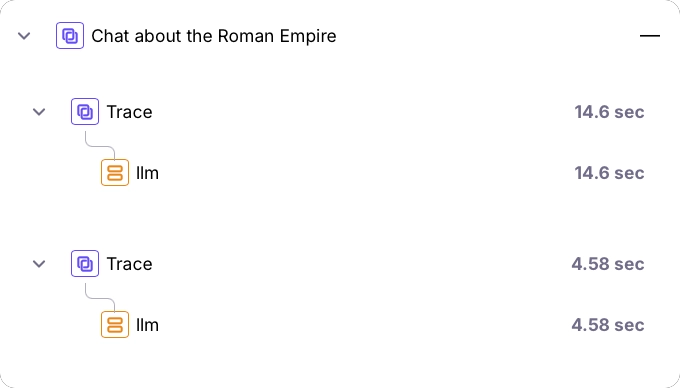
If you manually start a session before using the OpenAI wrapper, all calls to the wrapper will be added as new traces to that session.
import osfrom galileo.openai import openaifrom galileo import galileo_context# Get the logger instancelogger = galileo_context.get_logger_instance()# Start a sessionlogger.start_session("Chat about the Roman Empire")# Initialize the Galileo wrapped OpenAI clientclient = openai.OpenAI(api_key=os.environ.get("OPENAI_API_KEY"))# Use the Galileo wrapped OpenAI client which logs automatically# This will create a single span trace in the current sessionfirst_result = client.chat.completions.create( messages=[{"role": "user", "content": "Tell me about the Roman Empire"}], model="gpt-4o")# This second call will create a new single span trace inside the same sessionsecond_result = client.chat.completions.create( messages=[{ "role": "user", "content": f"Summarize this: {first_result.choices[0].message.content}" }], model="gpt-4o")print(second_result.choices[0].message.content)
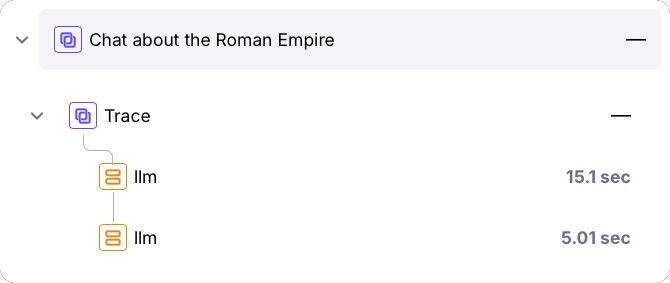
If you create a new trace before using the OpenAI wrapper, all calls will be added as LLM spans to that trace.
import osfrom galileo.openai import openaifrom galileo import galileo_context# Get the logger instancelogger = galileo_context.get_logger_instance()# Start a sessionlogger.start_session("Chat about the Roman Empire")# Start a new tracelogger.start_trace("Summary of the Roman Empire")# Initialize the Galileo wrapped OpenAI clientclient = openai.OpenAI(api_key=os.environ.get("OPENAI_API_KEY"))# Use the Galileo wrapped OpenAI client which logs automatically# This will create a single span trace in the current sessionfirst_result = client.chat.completions.create( messages=[{"role": "user", "content": "Tell me about the Roman Empire"}], model="gpt-4o")# This second call will create a new single span trace inside the same sessionsecond_result = client.chat.completions.create( messages=[{ "role": "user", "content": f"Summarize this: {first_result.choices[0].message.content}" }], model="gpt-4o")print(second_result.choices[0].message.content)
The OpenAI wrapper also supports streaming responses. When streaming, the wrapper will log the response as it streams in:
import osfrom galileo.openai import openaiclient = openai.OpenAI(api_key=os.environ.get("OPENAI_API_KEY"))stream = client.chat.completions.create( messages=[{"role": "user", "content": "Say this is a streaming test"}], model="gpt-4o", stream=True,)# This will create a single span trace with the OpenAI callfor chunk in stream: print(chunk.choices[0].delta.content or "", end="")
You can combine the OpenAI wrapper with the log decorator to create more complex traces:
import osfrom galileo import logfrom galileo.openai import openaiclient = openai.OpenAI(api_key=os.environ.get("OPENAI_API_KEY"))def call_openai(prompt): # This will be automatically logged as a child span chat_completion = client.chat.completions.create( messages=[{"role": "user", "content": prompt}], model="gpt-4o" ) return chat_completion.choices[0].message.content@log(span_type="workflow", name="Roman Empire Span")def make_nested_call(): # This creates a parent workflow span first_result = call_openai("Tell me about the Roman Empire") second_result = call_openai(f"Summarize this: {first_result}") return second_result# This will create a trace with a workflow span and two nested LLM spansresponse = make_nested_call()print(response)
The Galileo OpenAI wrapper currently supports only synchronous calls for both the Chat Completions API and the Responses API. It does not include built-in support for the AsyncOpenAI class from the official OpenAI Python library. As a result, asynchronous calls made via the galileo.openai wrapper won’t automatically generate LLM spans or upload telemetry to Galileo.You can still track async interactions by manually using the low-level GalileoLogger API. This requires importing and awaiting the OpenAI AsyncOpenAI client, wrapping each call with a call to add an LLM span, and flushing the logger to send your traces.